

This guide goes with the workshop Agentes de IA: Vigilancia Judicial en Cobro de Cartera, which we ran with Houston on September 3, 2026. Use it to repeat the workshop step by step, at your own pace.
Goal#
We are going to leave an agent running that takes an Excel with your radicados (Colombian case numbers), checks every process against the Rama Judicial each morning and sends you a single email: new filings first, with the court's verbatim note, and the state of the rest of the portfolio below. Without opening the portal case by case.
This time there is nothing to build: the agent comes ready. You install it, answer a few questions and it starts watching your portfolio. How to build one from scratch is covered in the previous workshop's guide.
Step 1: download Houston#
- Go to gethouston.ai and click Download the app. There are builds for macOS, Windows and Linux. The free plan is plenty for this workshop.
- Fill in the form with your details and download the installer.
- Open the app, create your account and follow the onboarding until you reach your workspace.
Step 2: install the agent#
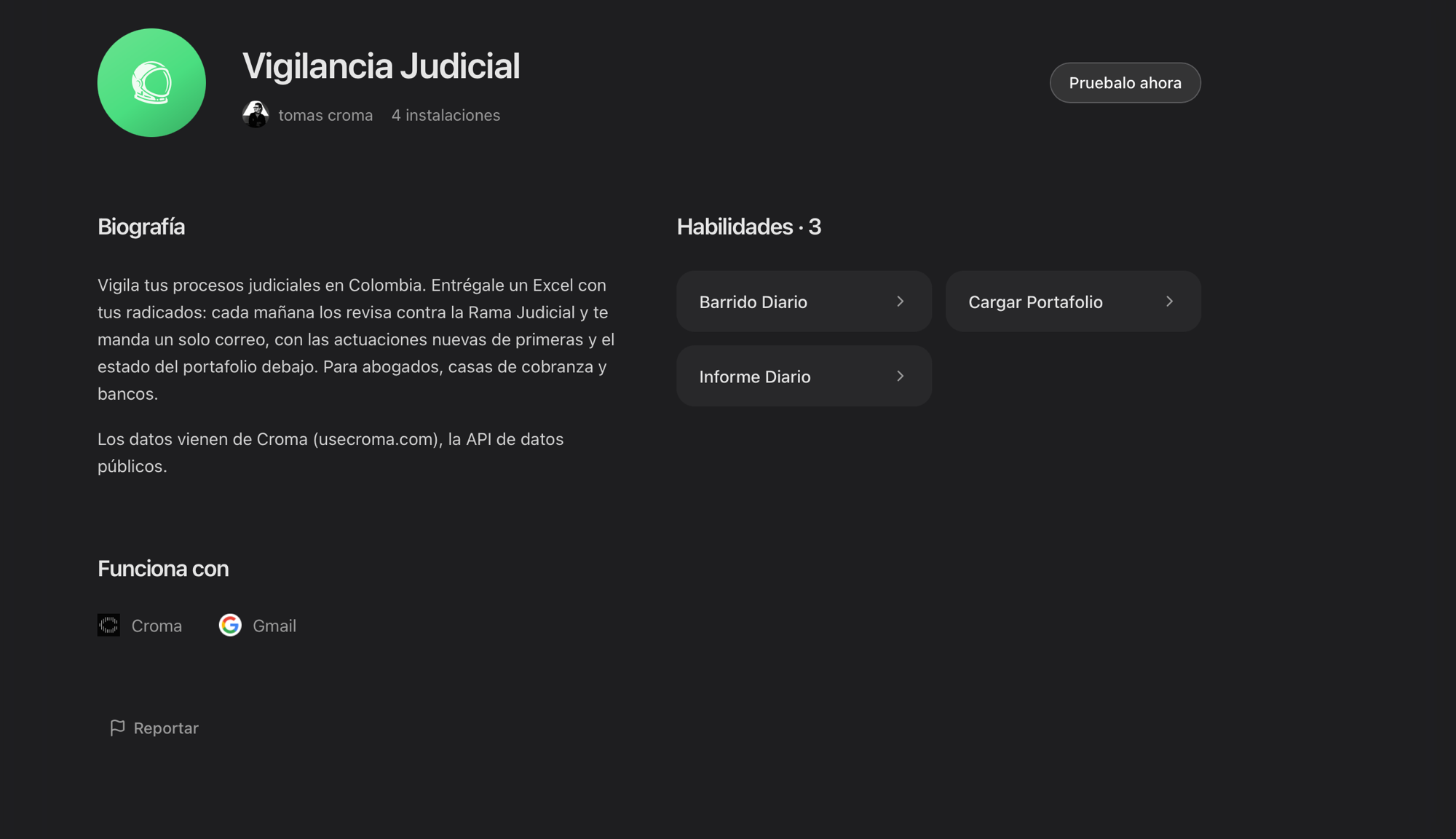
In the sidebar open the Agent Store and search for Vigilancia Judicial, the one with the green helmet, created by tomas croma. Open its page and click Try it now (Pruébalo ahora if your app is in Spanish): the agent lands in your account with its three skills ready, portfolio loading, the daily sweep and the daily report.
Step 3: set it up by talking to it#
Open a chat with the agent and say hi. It asks for what it needs, in this order:
1. The email for the report#
Tell it which address should get the daily report. It can be yours, a colleague's or several: each recipient only gets their own processes.
2. Your list of processes#
An Excel or CSV with one column of radicados, the 23-digit number of each process, and optionally an alias to recognize each one. That is all it takes.
It is the list we used in the workshop: ten real, active processes. If you would rather build it yourself, this is the whole file:
Radicado,Alias
08001418901720190035500,Pequenas causas Barranquilla
11001031500020180188500,Consejo de Estado Bogota
11001310302220090001300,Civil circuito J049 Bogota
11001310502420220028500,Laboral J024 Bogota
11001334205720220016301,Tribunal administrativo Bogota
11001400300520220092200,Ejecucion J002 Bogota
11001400301620090053100,Ejecucion J016 Bogota
11001400302020200002900,Ejecucion J020 Bogota
11001400305020260026400,Civil municipal J050 Bogota
11001400306920110102800,Civil municipal J069 BogotaOne tip: keep the radicado column as text in Excel. If Excel treats it as a number, it turns the radicado into something like 5.0013E+22 and the agent cannot read it.
When it gets the list, the agent validates every radicado against the Rama Judicial and summarizes what it found: which are now watched, which are private and which are not published yet. For the details on the source, the Rama Judicial guide is in the documentation.
3. Your Croma account#
The judicial data comes from Croma. Create your account:
It is free. With your account created, open platform.usecroma.com/mcp and accept the terms. When the agent asks you to connect Croma, sign in with that account and you are done: no keys, no configuration, and the same connection opens more than 70 official sources.
4. Your email connected to Houston#
To send the report, Houston needs permission over your email. If it is not connected yet, go to Integrations, connect Gmail or your workspace's email provider, and authorize it.
5. The routine#
With the portfolio loaded, the agent offers to schedule two tasks: the sweep every weekday morning, Colombia time, and the report right after it. Accept them and from then on the watch runs on its own, without anyone opening a chat. You can change the time whenever you want, or ask for a sweep by hand: check the portfolio now.
The portfolio is also managed by talking: add this radicado, remove the Barranquilla one, change the email for the labor case. The agent updates the list and moves on.
What lands in your inbox#
One email a day. When something moved, the subject says it upfront, with the process alias and the filing type: Se movió Laboral J024 Bogota: Fijación estado. Inside, the new filings come first, with the court, the date and the court's verbatim note, and below them the state of the rest of the portfolio. When nothing moved, the email still arrives: Vigilancia al día, sin movimientos. That is the signal that the watch is alive. And if a process could not be verified, it says so in those words: it never passes it off as "no movement".
What Croma is#
Croma is the API for government data: one connection opens more than 70 official sources, Rama Judicial, RUES, SECOP, the Registraduría, SIMIT and more, all in the same format and stamped with the query date. It is the same infrastructure banks and legal teams use to monitor the judicial activity of their portfolios every day. Browse the sources, try the tools or read the documentation.
What Houston is#
Houston is an open source desktop app where people and AI agents work together, with shared agents that learn from your team. Every agent has its memory, its skills and its integrations, and the Agent Store is where you install the ones others already built, like the one in this workshop. The guide for connecting Croma to any Houston agent is at /mcp/houston.
Other agents you can build#
The formula is the same: a Houston agent plus Croma's sources. Some ideas:
- Credit screening: before approving, validate the applicant in RUES, review their financial statements in Supersociedades and their cases in the Rama Judicial.
- Insolvency alerts: watch SICAAC for portfolio debtors entering insolvency proceedings.
- Fines and vehicles: check SIMIT and RUNT for the company fleet and flag new tickets.
- Public procurement: get notified when an agency publishes SECOP processes in your sector, or when a competitor wins an award.
- Lead enrichment: cross RUES and Supersociedades over a list of companies. We built it in the previous workshop and the guide is on the blog.
Join the community#
If you left the agent running, tell us how it went. The Croma community lives on WhatsApp: that is where we share agents and skills, answer questions and announce the next workshops.